FIELD NOTES / GENERATIVE 3D / GAME PRODUCTION30 SOURCED GUIDES · 4 PRODUCTION HUBS

TEXT-TO-3D PROMPT GUIDE & ASSET BRIEF BUILDER.

Turn a text prompt into a production brief for a 3D asset, level or mechanic. Define creative intent and the measurable delivery gates the result must pass.

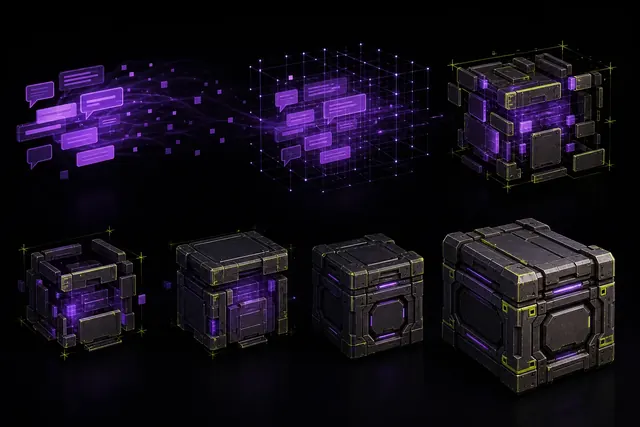
Natural-language prompt fragments assembling a stylized game prop through a structured production brief
Natural-language prompt fragments assembling a stylized game prop through a structured production brief. Original AI-assisted editorial artwork by G3D.AI.

WHAT IS A TEXT-TO-3D PRODUCTION BRIEF?

It describes the visible result

A text-to-3D production brief explains what an asset is, why it exists, how its main forms are built and which materials belong on each part. This reduces guesswork about silhouette, scale and surface treatment. The guide to how text-to-3D generation works explains why unclear language can produce several valid but very different shapes.

It defines a usable deliverable

The brief also states what the exported result must do. A good render can still have broken topology, the wrong scale, too many materials or no useful pivot. A production-ready 3D prompt pairs creative direction with checks that can be repeated in a DCC tool and game engine.

CHOOSE THE DELIVERABLE BEFORE WRITING THE PROMPT.

The same words should not be used for every output. Start with the job the result must perform, then include only the details that help that job.

Prop or environment piece

Name the gameplay role, real or fictional scale, camera distance, main masses, contact point and material groups. State whether doors, drawers or other parts must move. Add collision, pivot and texture requirements when the result is intended for an engine.

Character or creature

Define body plan, proportion, clothing layers, expression range and expected movement. A static concept and a deforming character are different deliverables. If animation matters, require separate limbs, clean joints, a usable bind pose and tests for the target skeleton.

Level, scene or mechanic

Describe player goal, path, boundaries, important landmarks and failure conditions before visual style. For a mechanic, name state, input, rule, feedback and edge cases. Generated ideas still need authored constraints and playtests before they become game logic.

3D ASSET BRIEF
COMPOSER.

Nothing is uploaded. This browser tool organizes your choices into a structured brief. Copy the result into a generation workflow, retain it with the exported files and revise one field at a time.

STRUCTURED_OUTPUT.TXT
Complete the fields and compose your brief.

EVERY BRIEF FIELD HAS A DIFFERENT JOB.

Separate purpose, appearance and technical acceptance. This makes a failed result easier to diagnose because you can identify which type of instruction was missed.

Role

Explain why the asset exists, how the player uses it and how close the camera gets. “Cover prop viewed from 20 metres” gives more production context than “science-fiction crate.”

Subject

Name one clear object or system category. Add the setting only when it changes construction. Avoid long adjective chains that suggest mood without telling the system what parts to build.

Construction

Describe primary masses, proportions, joins, openings, symmetry and moving pieces. Use visible relationships such as “lid overlaps the shell” instead of abstract praise such as “high quality.”

Materials

Assign surfaces to parts and describe roughness, wear and color hierarchy. Ask for material separation when later editing matters. Do not use baked highlights as a substitute for real lighting.

Technical target

State units, triangle range, UV needs, texture set, pivot, collision, LOD and export format when they are known. Treat these as acceptance gates, not as claims that every generator can satisfy them.

Forbidden list

List a few costly failure conditions such as floating parts, unreadable text, merged moving pieces or extreme micro-detail. A short, specific exclusion list is easier to review than a page of negative wording.

TURN VAGUE WORDS INTO TESTABLE INSTRUCTIONS.

Replace taste words with visible construction or measurable delivery requirements. The goal is not a longer prompt. The goal is a brief that a reviewer can inspect.

Brief areaWeak wordingMore useful instruction
PurposeGame-ready propWaist-high cover prop for a third-person game, readable from 20 metres.
ShapeDetailed futuristic crateRectangular shell, clipped corners, recessed handles and one separate hinged lid.
MaterialsRealistic metalPainted steel panels, dark rubber seals and exposed metal only at restrained wear points.
TechnicalOptimized meshTwo-metre width, watertight body, one material set, ground-centered pivot and GLB export.
ExclusionsNo mistakesNo logos, floating pieces, baked shadows, unreadable labels or damage that changes the silhouette.

MOVE FROM TEXT TO AN ENGINE IN CONTROLLED CHECKS.

Generation is the proposal stage. Each later check decides whether the proposal can become a dependable production asset.

Lock the acceptance target

Choose the engine, platform, viewing distance and gameplay role before generation. Record the scale, format and performance envelope. If the target is unknown, label the output as exploration rather than a final asset.

Generate comparable candidates

Keep the same brief, provider version and settings while testing variations. Save the prompt, reference inputs, seed when available and rejected results. Changing every variable at once makes it hard to learn which instruction helped.

Inspect the raw export

Open the file in a clean scene. Check orientation, dimensions, disconnected parts, hidden geometry, normals, UVs, materials and naming. Do not approve an asset from the hosted preview alone.

Repair with a recorded budget

Track hands-on cleanup time and the changes required. Use the generated mesh cleanup workflow for topology, shading and export checks. A candidate that needs extensive rebuilding may be a poor production choice even if its first image looked strong.

Validate inside the target scene

Test collision, pivot, lighting, materials, LOD transitions and memory in the actual engine. Compare the result with the original brief and store the acceptance record beside the source and editable files.

Revise one instruction at a time

When a result fails, connect the failure to the relevant brief field. Change construction wording for shape errors, delivery wording for export errors and exclusions for repeated artifacts. Retest before adding more adjectives.

DIAGNOSE COMMON TEXT-TO-3D FAILURES.

A prompt is useful when it helps explain and reduce failure, not when it simply sounds detailed.

Correct subject, wrong proportions

The category was understood but the spatial relationships were not. Add a few strong ratios, camera-distance needs and relationships between primary masses. Remove decorative language until the silhouette is stable.

Good preview, unusable mesh

The instruction described appearance but not delivery. Add scale, topology, separate-part, UV, material, pivot and format gates. Then inspect the export with the game-ready topology checklist.

Every result drifts in style

Build a compact art-direction grammar for proportion, edge language, palette, roughness and detail density. Generate a small test set and compare it as a batch. The consistent asset batch guide explains how to separate shared rules from asset-specific facts.

TEXT-TO-3D ACCEPTANCE CHECKLIST.

Before calling an output finished, confirm that the file matches both the creative brief and the production target.

  • Purpose: The silhouette and parts support the named gameplay role.
  • Scale: Dimensions and orientation are correct in a clean scene.
  • Geometry: Hidden surfaces, normals, topology and separate moving parts have been inspected.
  • Materials: Surface groups, UVs and texture channels behave under neutral lighting.
  • Interaction: Pivot, collision and animation needs work in the target engine.
  • Performance: Geometry, materials, textures and LODs fit the target scene budget.
  • Record: Prompt, model version, settings, raw output, edits and final decision are retained.

CONTINUE FROM PROMPT TO PROOF.

How text-to-3D works Production-ready 3D prompting Game-ready topology Open the production workbench